Nothing to install
An up-to-date browser is enough, on desktop or phone.
Platform
One web address, one account, and the same club on every screen. Here is the technical detail, for those who wonder.
Skoris
Nothing to install, one account shared between computer and phone, and a simulation that runs server-side.
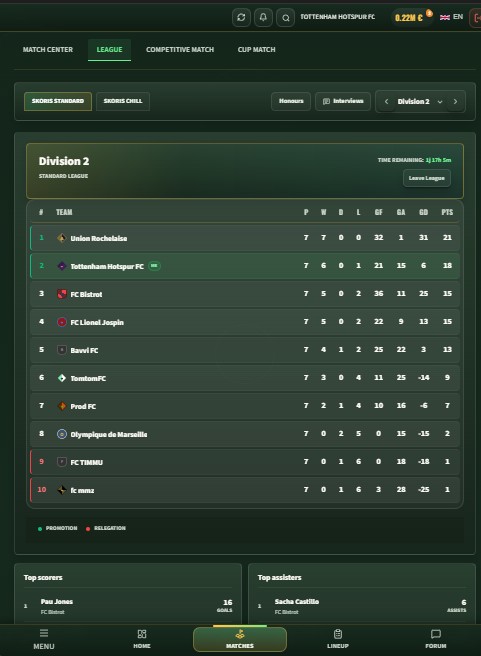
An up-to-date browser is enough, on desktop or phone.
Your hardware does not change a match result.
No local save, no manual synchronisation.
A progressive web app you can add to your home screen.
The match engine runs on the server, not in your tab. Your browser displays the state of the game and your decisions travel back to the server, which has two practical consequences: your machine's power does not change the result, and a match keeps running even if you close the tab. Progress is never stored locally, so there is no save file to look after.
An up-to-date Chrome, Firefox, Safari or Edge, on desktop or phone. No plugin, no third-party runtime.
No client to download, no update to run, no save folder to manage.
The interface is HTML and CSS with no 3D engine. Because the simulation is server-side, an older computer shows the same match.
The site is a progressive web app: your browser can add it to the home screen and open it full screen, without going through a store.
Club, squad, calendar and finances belong to the account, not the device. You set a lineup on a computer, follow the match from a phone while queuing for coffee, and read the statistics on a tablet that evening. There is no sync to trigger: there is only one state, held on the server.
Yes. The interface is designed for small screens as much as large ones, with adapted bottom navigation on mobile.
No. The simulation runs on the server and finishes without you. Staying present only lets you adjust your tactical levers live.
Yes. The site is a progressive web app, and most browsers will offer to add it to your home screen, which opens it without an address bar.
The club and the match stay intact on the server. When you reconnect you get the current state, including the result of a match played in the meantime.
Signing up takes you straight to club creation.
Create my club